Why a “seamless” Bluetooth receiver matters day-to-day
You notice a Bluetooth receiver most when it doesn’t get in the way: it pairs quickly, reconnects every time, and doesn’t make you touch your phone just to get sound. The “seamless” part is less about fancy specs and more about small friction points that add up—missing the first second of a podcast, sudden volume jumps between apps, or a connection that drops the moment you put your phone in a pocket or cupholder.
A good receiver also stays quiet. Cheap units can add hiss, pick up alternator whine in a car, or force you to crank volume because the output is weak. Fixes exist, but they cost extra and add clutter, so choosing reliability and clean audio up front usually saves money and annoyance.
Start with your setup: car AUX, home stereo, powered speakers
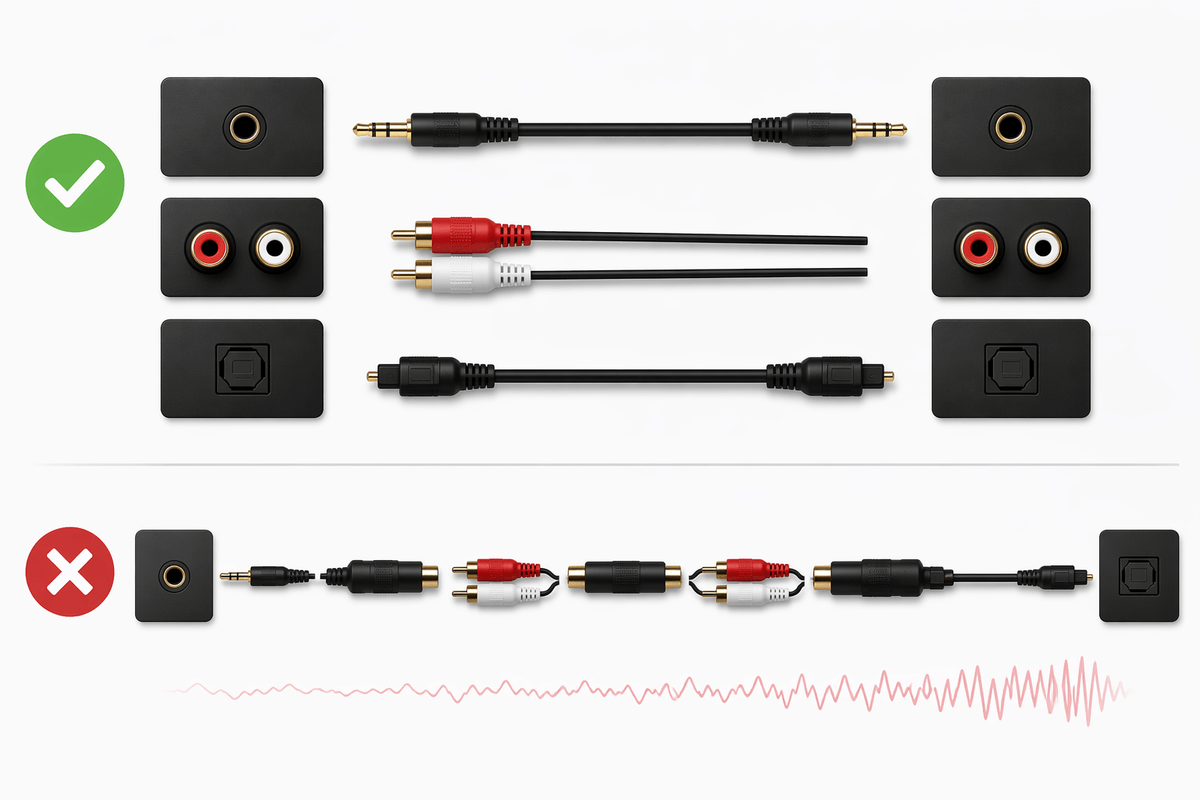
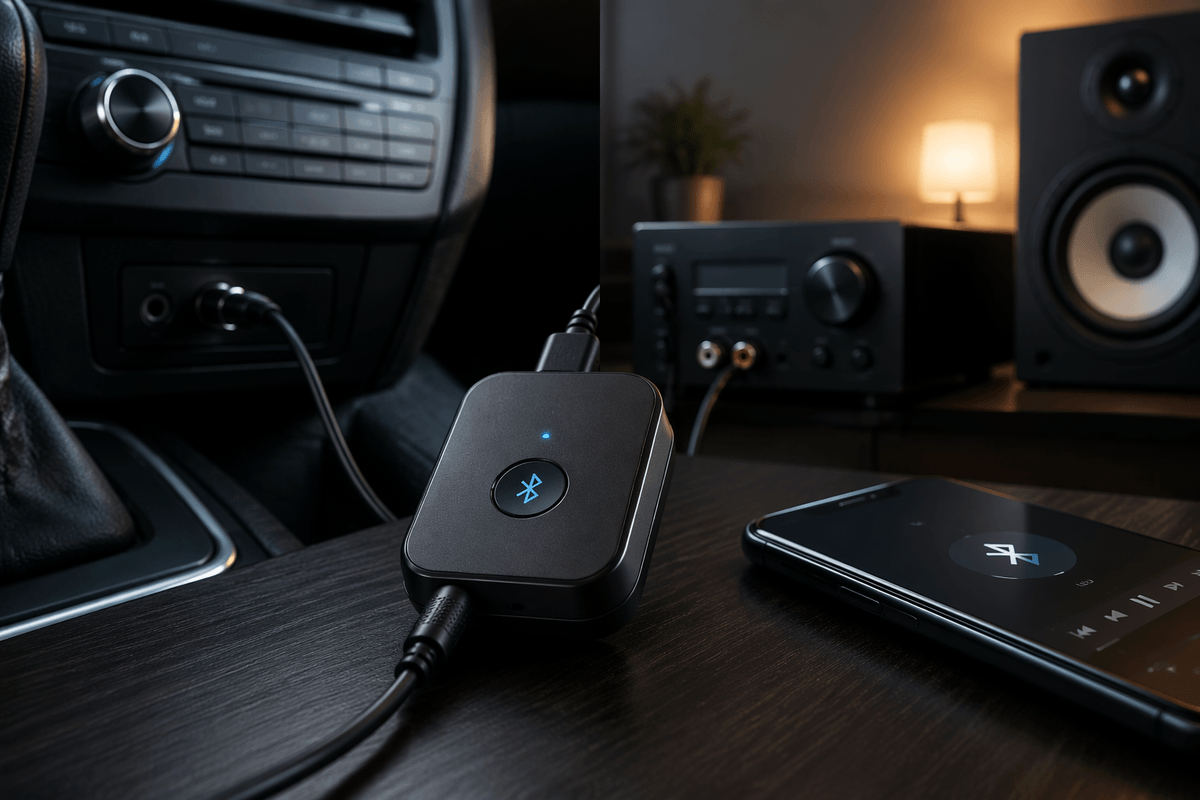
The simplest question is what you’re plugging into. If your car stereo has a 3.5mm AUX input, you’re shopping for a receiver with a clean analog output and practical power (USB power from the dash, or a battery that can survive heat and long drives). Cars also expose noise problems, so shorter cables and stable charging matter as much as codec support.
For a home stereo or AVR, look for the inputs you already use: RCA is the common path into hi‑fi gear, while optical (Toslink) can bypass a receiver’s internal DAC and sometimes avoid ground-loop hum. Powered speakers vary—some take 3.5mm, some RCA, some both—so match the connector first, then worry about extras. The constraint is that “adapter stacking” (3.5mm-to-RCA, then splitters, then long runs) often adds cost and increases the chance of loose connections or audible noise.
Codecs and latency: when aptX actually changes things
You’ll see codec talk everywhere, but it only becomes a day-to-day difference in two cases: when you care about lip-sync, or when your phone and receiver both support the same higher-quality option. For video, latency is the real issue. Standard SBC can be fine for music, yet feel “off” for YouTube or gaming because the audio arrives late. aptX Low Latency (and some newer low-latency modes) can help, but only if both ends support that exact mode; “aptX” by itself doesn’t guarantee better sync.
For sound quality, AAC tends to be a safe bet for iPhones, while many Android phones do well with aptX or aptX HD. If your receiver only offers SBC, don’t panic—car cabins and casual listening often mask the difference. The practical constraint is compatibility: you can pay extra for codecs you’ll never use if your phone, tablet, or TV won’t negotiate them, and Bluetooth will quietly fall back to the basic option anyway.
Connection reliability: range, dropouts, and interference hotspots
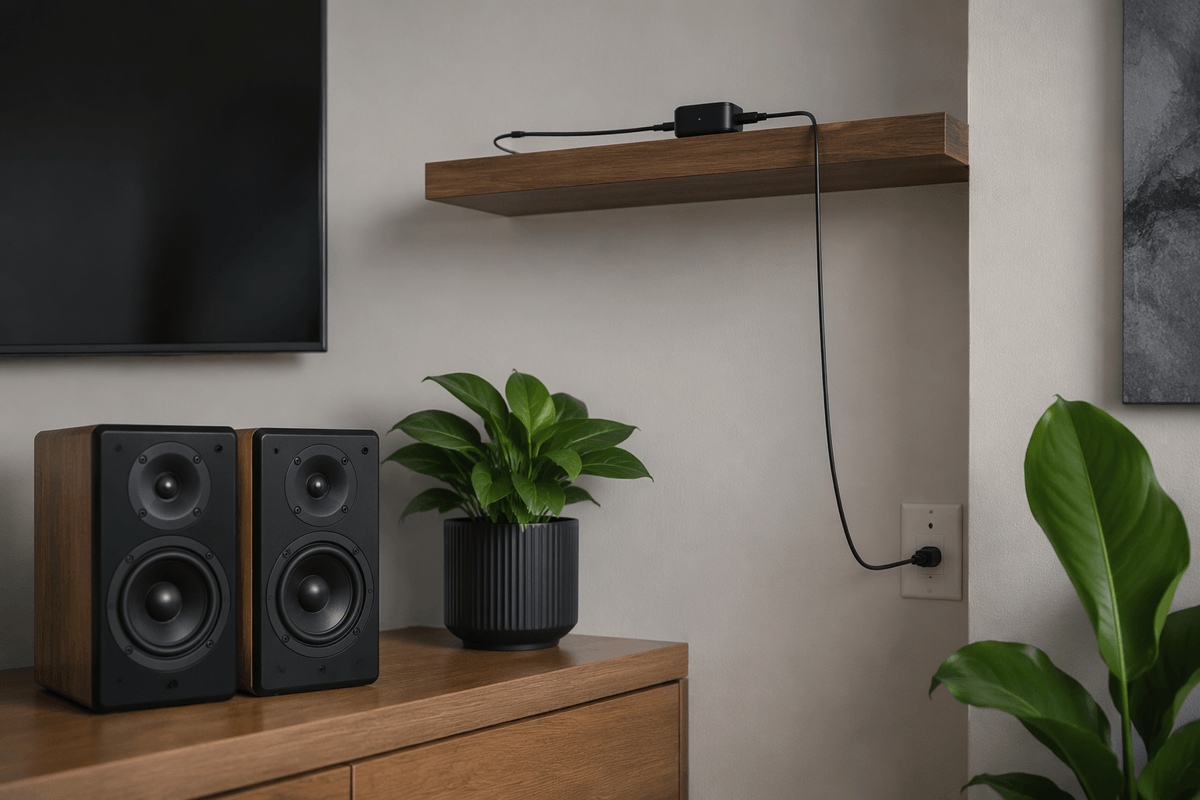
You’ve probably seen the “10 meters / 33 feet” range claim, then watched audio stutter from the next room. Real reliability is about what’s between your phone and the receiver: your body, a center console, a metal rack, or a TV cabinet door can all absorb or reflect signal. In a car, the most common failure is simple placement—tucking the receiver deep in the console and then putting your phone in a pocket on the opposite side of your body.
At home, the repeat offenders are Wi‑Fi routers, smart speakers, and USB 3.0 hubs clustered near the receiver. If dropouts happen at the same spot every day (by the microwave, in the hallway), that’s an interference hotspot, not “bad Bluetooth.” A small reposition—moving the receiver a foot higher, using a short audio cable but a longer power cable—often fixes it. The practical trade-off: “long-range” models can help, but they’re usually bigger, cost more, and can still struggle in dense RF environments.
Noise, volume, and ground loops: making audio sound clean
You’ll hear “noise” in a few predictable ways: a steady hiss when nothing’s playing, a high whine that rises with engine RPM, or a buzz that appears the moment you plug in USB power. Weak output can mimic noise too—if the receiver’s line level is low, you crank the car stereo or amp, and you amplify the receiver’s noise floor along with the music. A quick reality check is to set your car/home amp lower than usual and raise the phone/receiver volume; if the hiss drops, the receiver’s output stage is likely the bottleneck.
Ground loops are the classic car problem: charging from the same power system you’re feeding audio into can create a loop that turns into audible whine. Optical output (when available) can sidestep this by breaking the electrical connection, and a ground-loop isolator on the analog line often works, but it’s another $10–$20 box that can slightly reduce bass or maximum volume. Short, snug cables and a solid 5V charger also matter more than most spec sheets admit.
Controls and convenience features you’ll notice every time
You’ll interact with the receiver’s controls more than you expect, so small design choices matter. A dedicated multi-function button that reliably handles play/pause and pairing beats tiny, mushy buttons you can’t find by feel in a car. Physical volume buttons are useful, but only if they control the receiver’s output cleanly; some units “double up” with your phone volume and make it hard to land on a consistent level without clipping or hiss.
Look for auto-reconnect that works every ignition cycle, plus a clear status light (not a blinding blue strobe at night). If you share the receiver, multipoint can save daily re-pairing, but it can also create “why did it switch devices?” moments in a household. For calls, a built-in mic is convenient, yet it’s usually a downgrade versus your phone on speaker unless the receiver can be mounted close to you.
Picking the best receiver by budget: good, better, best
The “good” tier is for straightforward AUX use: a small Bluetooth receiver with a 3.5mm output, USB power, a stable pairing button, and predictable auto-reconnect. Prioritize low hiss and decent output level over headline codecs, because a weak analog stage forces you to crank your stereo and hear more noise. Budget models can work well, but expect compromises like bright status LEDs, shorter range, and occasional pairing weirdness after phone updates.
The “better” tier earns its price when you need fewer daily annoyances: stronger antennas, more consistent reconnect behavior, multipoint that doesn’t constantly steal focus, and cleaner power handling that’s less likely to buzz when charging. This is also where codec support starts to matter—AAC for iPhone-heavy homes, aptX options for many Android phones—plus more practical extras like a longer power cable or a real on/off switch.
The “best” tier is about solving specific problems: optical output to avoid ground-loop whine, a genuinely clean DAC/line-out for hi-fi inputs, and low-latency modes for TV watching. The trade-off is cost and complexity—more boxes, more settings, and sometimes larger hardware that’s harder to hide neatly in a car.
Quick buying checklist and setup tips for instant success
You’re done once three boxes are checked: the output matches your input (3.5mm for AUX, RCA for hi‑fi, optical if you’re fighting hum), your phone/TV supports the same codec you’re paying for (AAC for iPhone, aptX variants for many Android/TV setups), and power fits the job (USB-powered for car, battery only if you truly need it). On day one, place the receiver where the phone “sees” it, not buried in metal or behind a TV, then use the shortest audio cable you can and the longer power cable if needed.
If you hear whine while charging, try a different 5V charger first; if it persists, switch to optical or add a ground-loop isolator and accept a small volume/bass trade-off. Finally, set a consistent gain: receiver/phone high, amp/stereo moderate, so you’re not amplifying hiss.